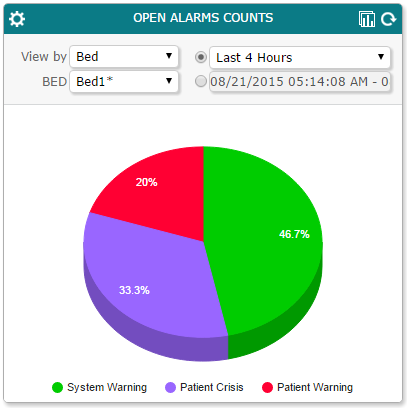
In the Vocera Alarm Analytics dashboard, you can use the Open Alarms Counts pane to display an open alarm count for any bed or nurse, or display a count of all open alarms.
-
From the View by dropdown list, select Bed
to display the alarm count for a bed, select Nurse to display the alarm
count for beds assigned to a nurse, or select All to display a count of
all open alarms.
- If you have selected Bed, from the Bed dropdown list, select the bed for which you want to display the open alarm count.
- If you have selected Nurse, from the Nurse dropdown list, select the nurse for which you want to display the open alarm count.
-
Select one of the following:
- The time period for which to display the open alarm count, such as Last 1 Hours.
- A date range for which to display the open alarm count.
-
Click
 to display the data in a different format. You can display the data as a pie chart, as a line chart,
as a column chart, or in table format.
to display the data in a different format. You can display the data as a pie chart, as a line chart,
as a column chart, or in table format.
-
Click
 to display a comparison of open alarm counts in the Comparison pane. See Viewing Comparisons for more details
on displaying comparisons.
to display a comparison of open alarm counts in the Comparison pane. See Viewing Comparisons for more details
on displaying comparisons.
-
To update this information,
click
 .
.
