When the Vocera Edge client logs in, it requests the VoIP settings from Org Services to allow the SIP client to register via SIP to the CUCM subscriber.
Settings include:
-
SIP domain & Extension (SIP URL)
-
CUCM subscribers to connect to
-
Digest Username & Password (Encrypted)
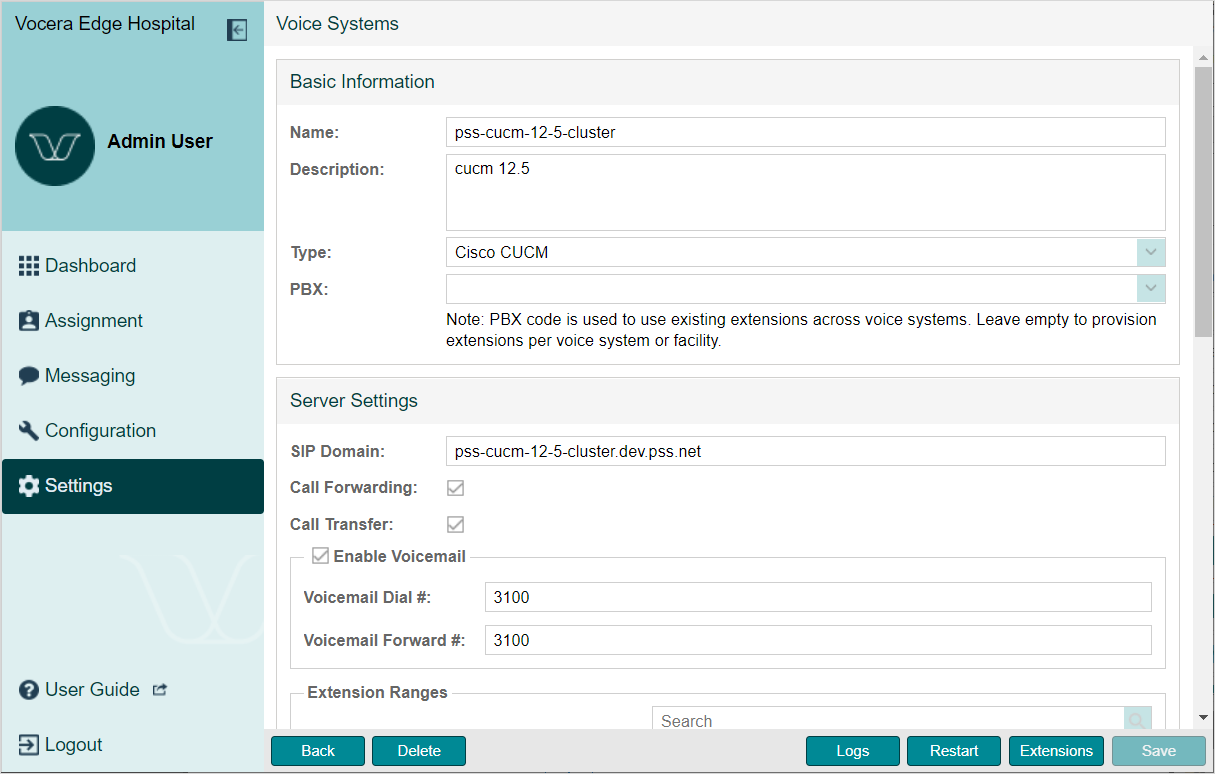
The Vocera Edge clients use the 'SIP Domain' when registering the SIP connection with CUCM, <extension>@<sipdomain>, e.g. 1000@cucm.mycompany.com.
Affiliate which facilities you want the voice server to be available for. For each facility, enter the host name of the CUCM server to connect to. This can be different per facility. Multiple CUCM servers can be specified by comma separating them in this field.
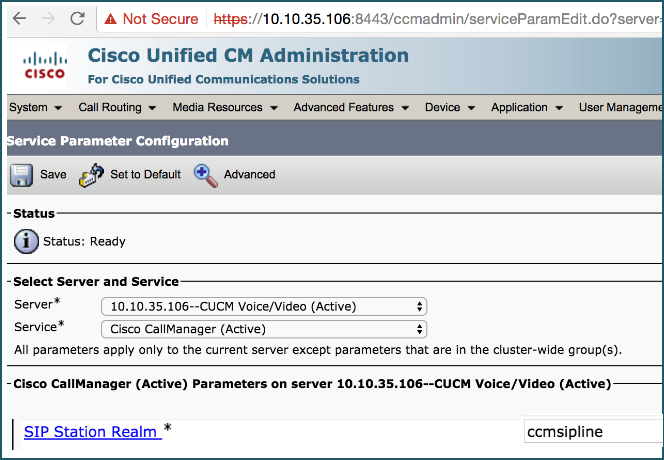
The 'Digest Password' property in Enterprise Manager allows you to set the digest password configured on CUCM. This password will be set by Org Services as the digest password for any users that have a Vocera Edge extension. The Vocera Edge client will authenticate with this password. The password is not sent directly to clients. Instead a hash of the username and Digest Realm is used. The default digest realm used in CUCM is 'ccmsipline'. If this is changed to something else in CUCM you will need to change the 'Digest Realm' property in Enterprise Manager.