Configure System Backups to automatically transfer the system backup files to another location for storage using Server Message Block (SMB).
-
Select Set Automatic Backup in the System
Backups page.
The Setup an automatic backup page displays.
-
Navigate to SMB Backup in the Setup an automatic backup
page.
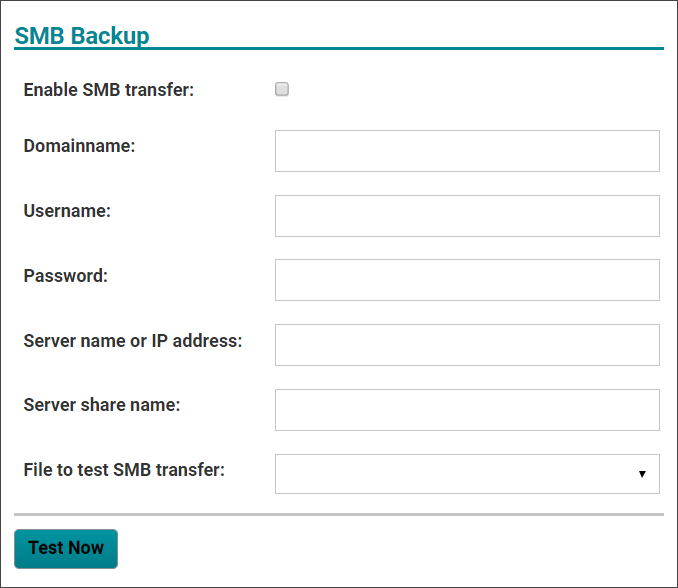
-
Configure the SMB Backup settings.
Field Description Enable SMB Transfer Select this checkbox to use the SMB configuration. Domainname Enter the domain name for the location where the backup file will be saved. Username Enter the user name for the login credentials at the chosen backup location. Password Enter the password for the login credentials at the chosen backup location. Server name or IP address Enter the netbios name or server IP address for the chosen backup location. Server share name Enter the server path where the files will be stored in the chosen backup location. File to test SMB transfer Select the name of the backup file to test the SMB transfer capability from the dropdown menu in this field. The file name displays in the following format: extension_master_files –XXDATEXX-database.backup. - Select Test Now in the SMB Backup dialog to verify the configuration settings are correct in the system.
-
Select one of the following to exit the Setup an automatic
backup dialog:
- Select Apply to save and implement the configuration choices.
- Select Cancel to exit the page without changing the existing configuration.