The presence indicator dynamically updates and changes colors to indicate your availability status and that of other people who are logged in.
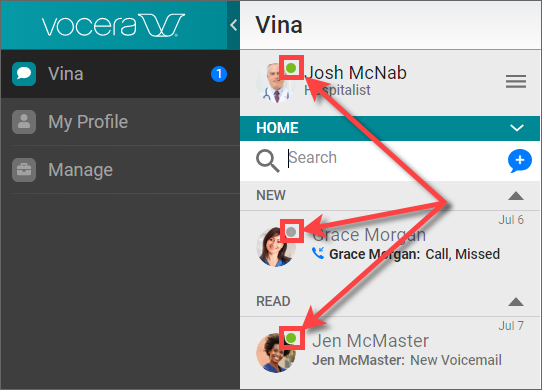
The following presence indicator colors are displayed:
- Green — indicates an Available status
- Red — indicates an Unavailable or DND status
- Gray — indicates Disconnected status
Vocera users registered for more than one client can set their presence on any supported client. The presence status is then updated everywhere. For example, if a registered Vocera Vina user sets an availability for the Web Console, the Vocera Vina application also displays the same presence status.
To learn more about setting presence and availability, see Setting Presence and Availability. In addition to setting an availability status, you can add a custom availability message in the Presence window to let others know of your availability status. See Adding a Custom Availability Message for information.