Enable direct call functionality for logged-in Vocera device users to allow them to directly call another user, group, or contact in the system.
The Vocera device user initiating a direct call from a Vocera device is a patient, and the predefined call recipient is a care team member.
Important: You must set the V5.DirectCallEnabled property
to true before you enable the direct call feature on the Vocera Smartbadge, see V5000 Smartbadge Properties Configuration for additional information.
Note: Vocera recommends that when creating or editing a patient-user profile for
the direct call feature, system administrators may want to disable device
alerts tones and reminder notifications to avoid devices randomly beeping
and disturbing a patient. To learn how to disable the alert tones and
reminder notifications for a user profile, see Disabling
Alert Tones and Reminders.
To enable direct call, follow these steps:
-
Scroll down to the Voice section and select the Enable Direct
Call field.
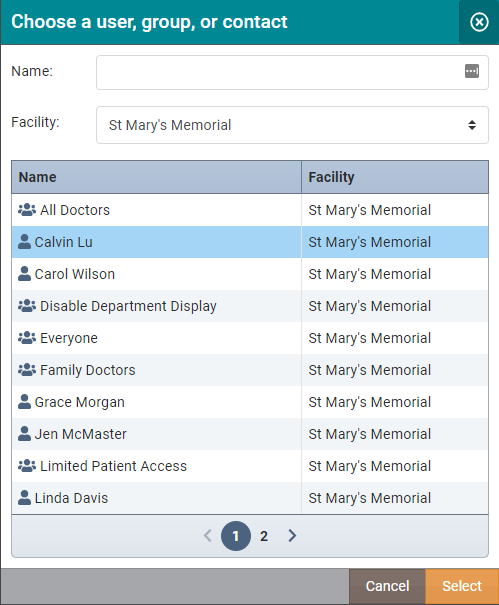
The Enable Direct Call field is disabled (unchecked) by default.The Choose a User, Group, or Contact dialog box displays.
What to do next:
After enabling the direct call feature, it remains enabled for users in the system. If you wish to disable this feature for a user, see Disabling Direct Call for Vocera Device Users.