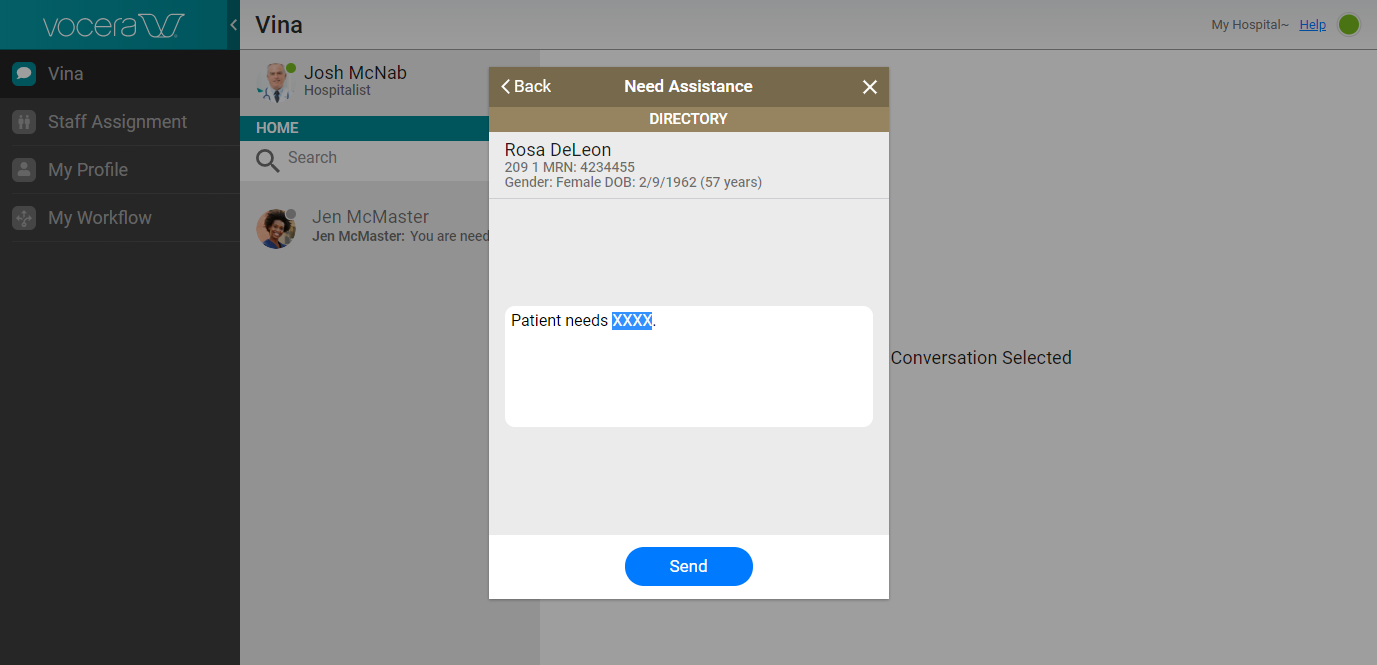
You can use a template to quickly send a user-generated alert that is related to a patient.
-
You can either create a new conversation and select the patient to associate with the
patient template, or use a patient template with an existing conversation for which a
patient context has been defined.
-
If you are creating a new conversation:
-
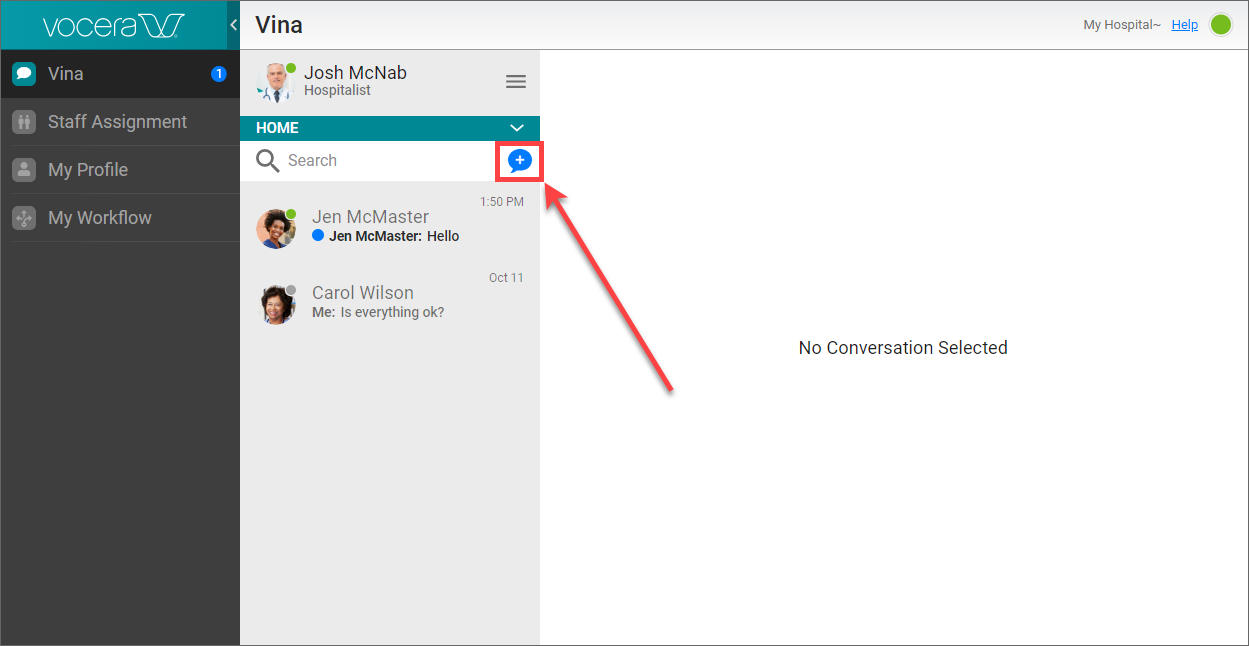
In the panel that displays the list of conversations, click the New icon.
-
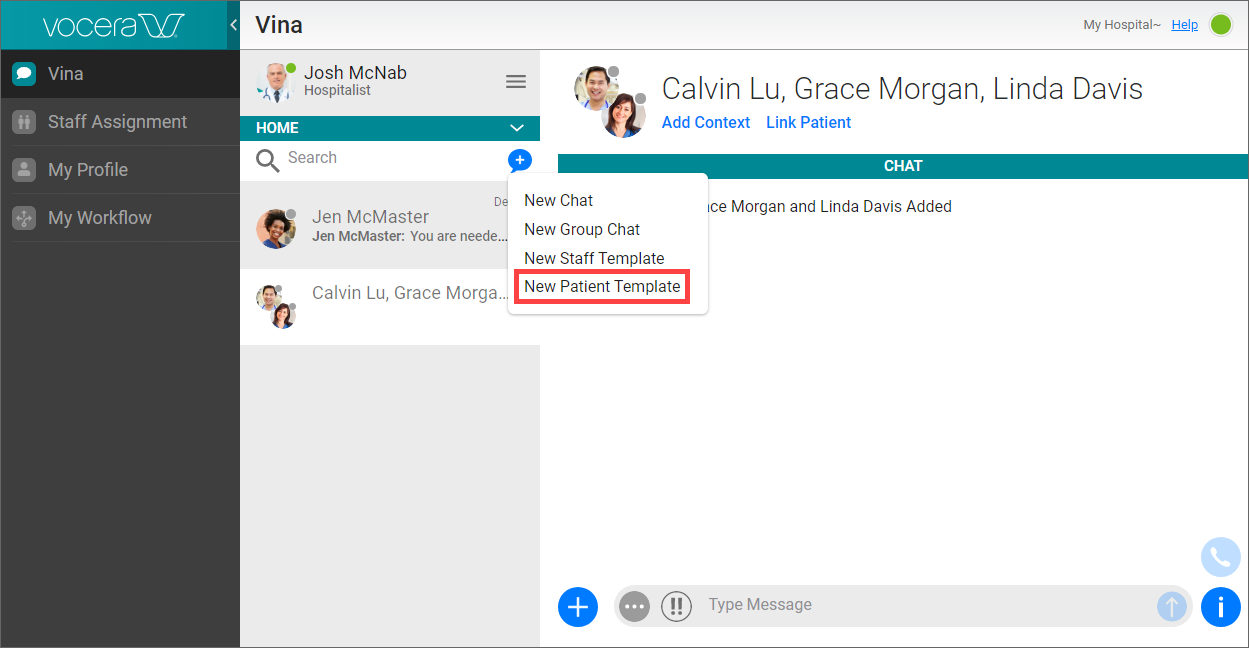
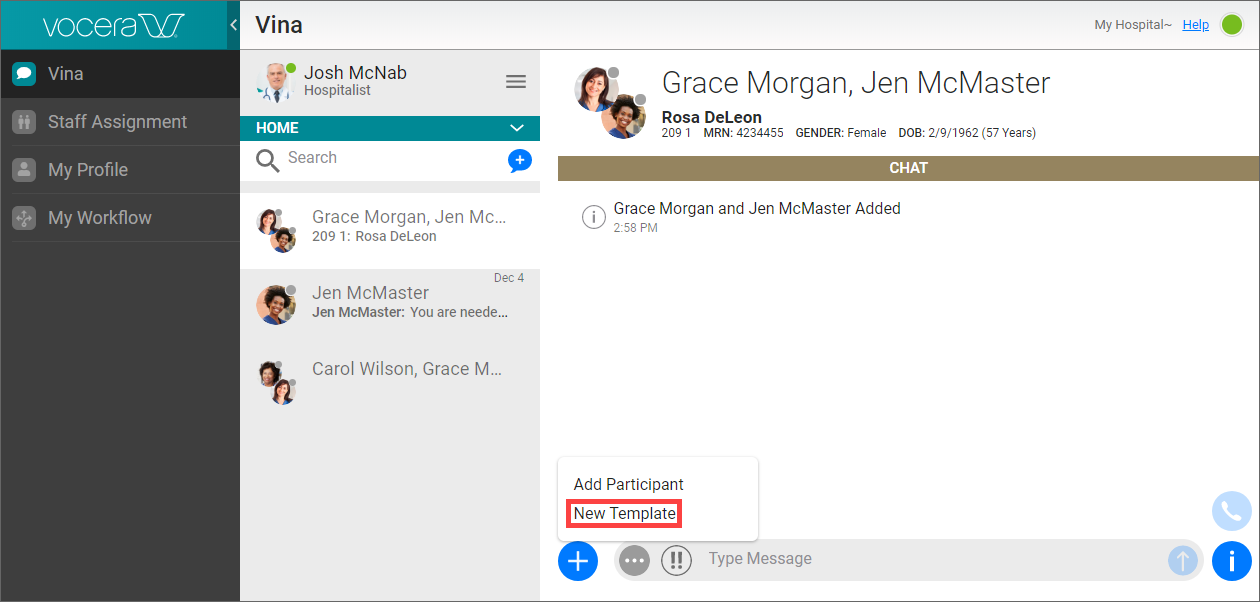
From the pop-up menu that appears, select New Patient Template.
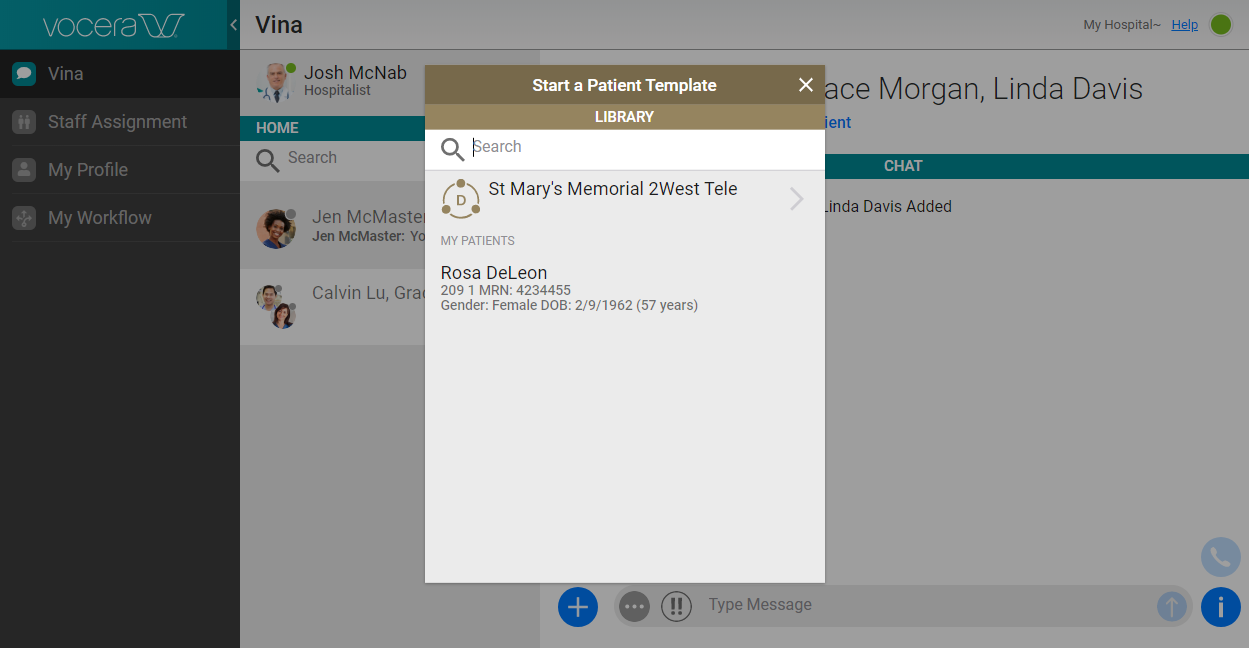
The Start A Patient Template panel appears.
 Note: If the Controls access to patient details security policy item is set to restricted, you see the New Location Template option instead. In this case, the behavior is the same, but you select a location instead of a patient. See Security Policies for more information on security policies and security policy items.
 -
Select a patient or location from the list, or select a group and then select a patient or location.
-
-
If you are using a template with an existing conversation, click the Add link at the bottom left and select New Template.
-
-
In the list of templates available to you, click the template that you want to use.
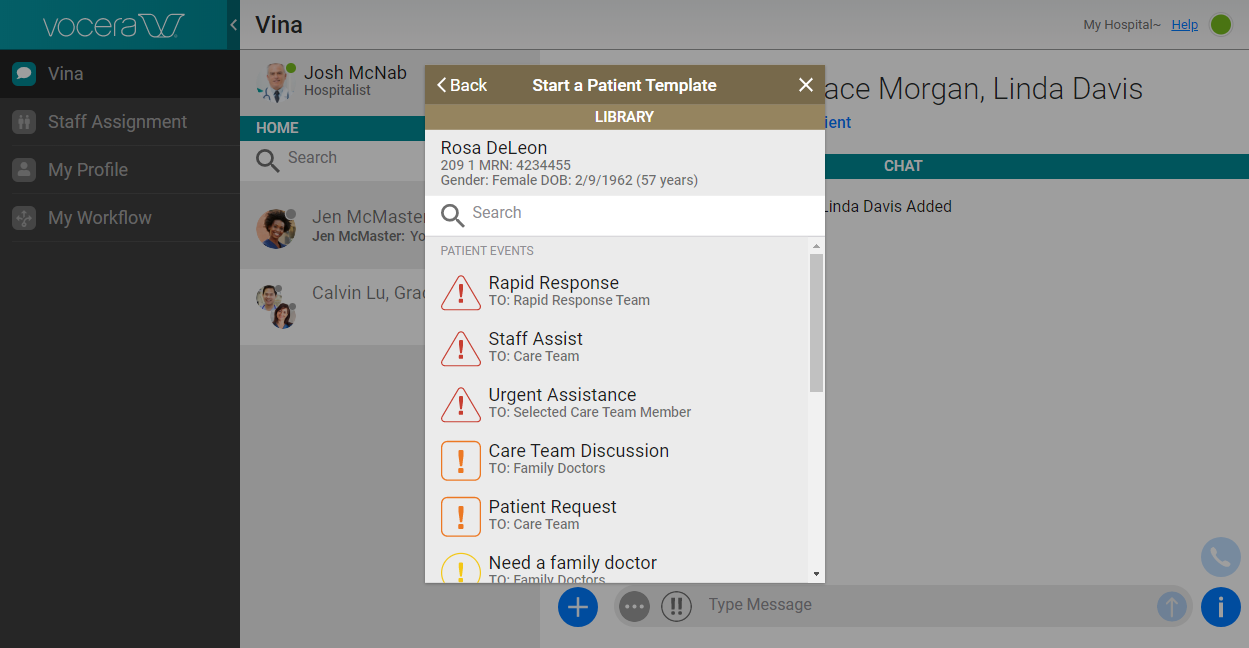
In this list, Patient Events templates and Location Events templates appear if your administrator has made them available to you.
Each template that is available to you displays a TO: field that lists the group that will receive the user-generated alert generated from this template.
-
Some templates require you to specify the recipients of the user-generated alert generated from the template:
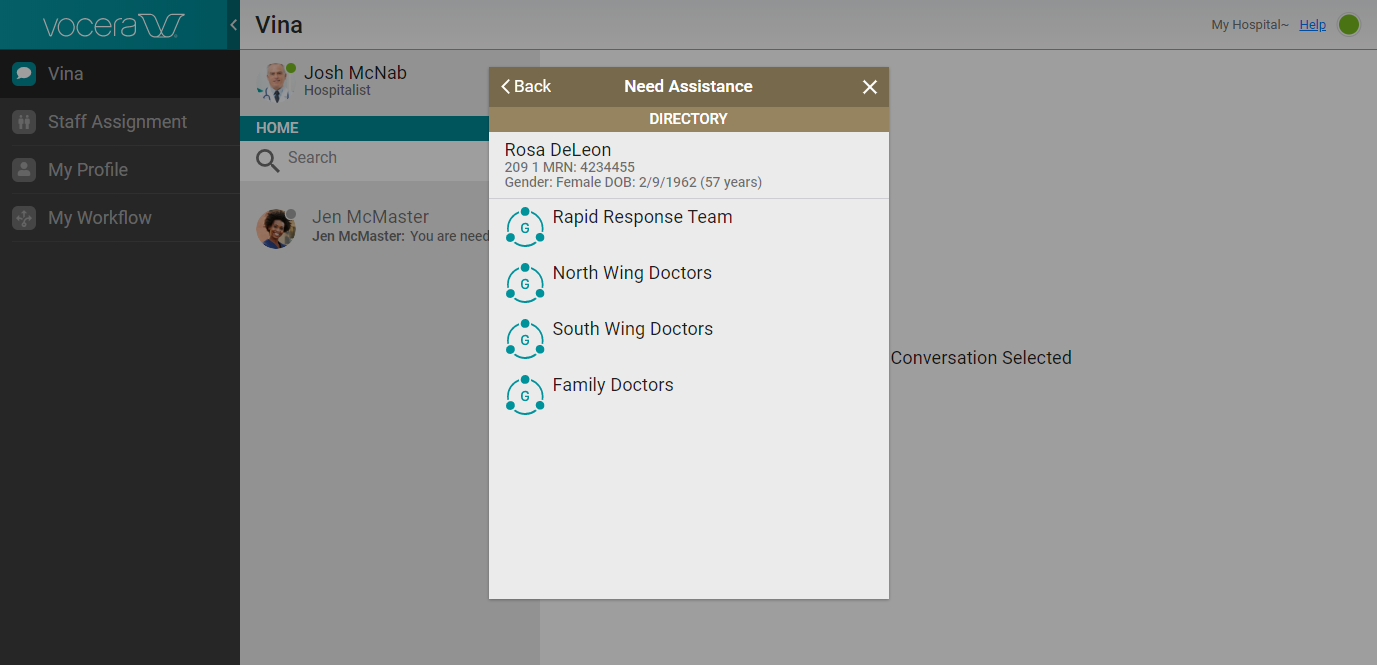
If Select A Group is listed in the TO: field for the template, select the group that is to receive the user-generated alert generated from this template.
-
If the template requires you to select the recipient of the user-generated alert generated from the template, a screen appears that displays your favorites and your department if it has been configured to appear.
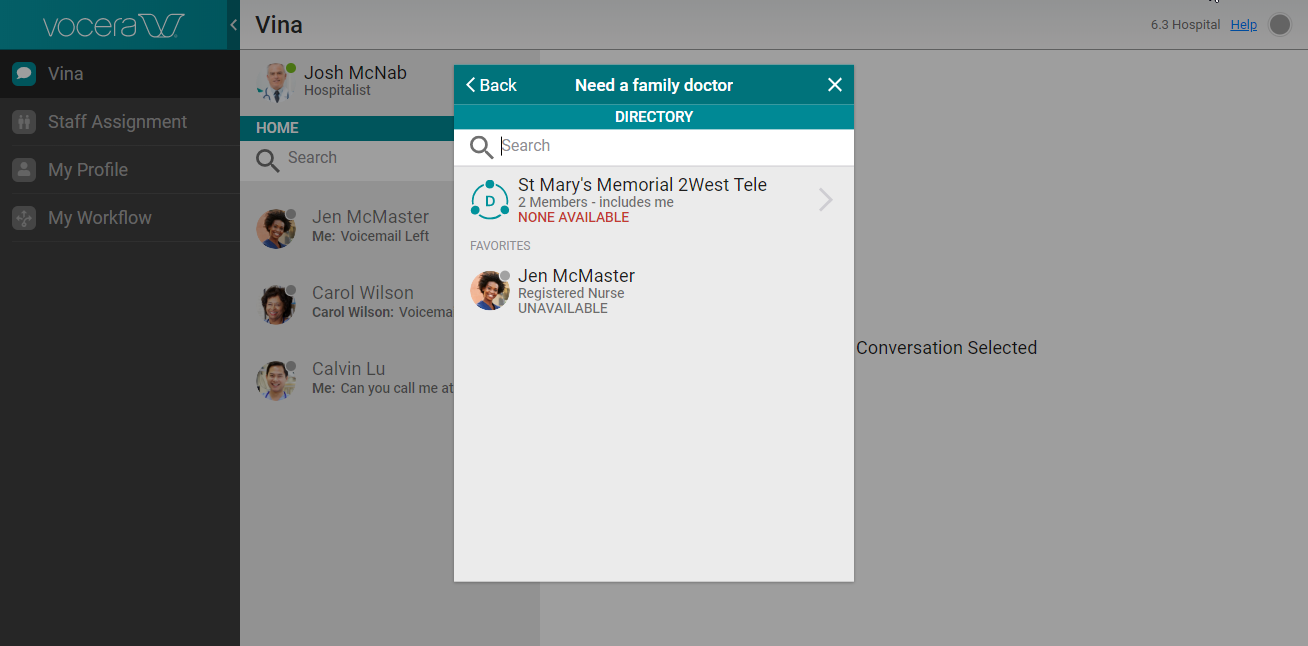
From this screen, you can:
- Click a person's name to specify this person as the recipient.
- Type text in the Search field to display all people and groups whose name contains the text.
- Click a group name to display the members of the group, and then click a member to specify this person as a recipient.
-
If the template includes fields to be filled in (for example, the type of patient
assistance needed), in the screen that appears, fill in the fields to complete the template.
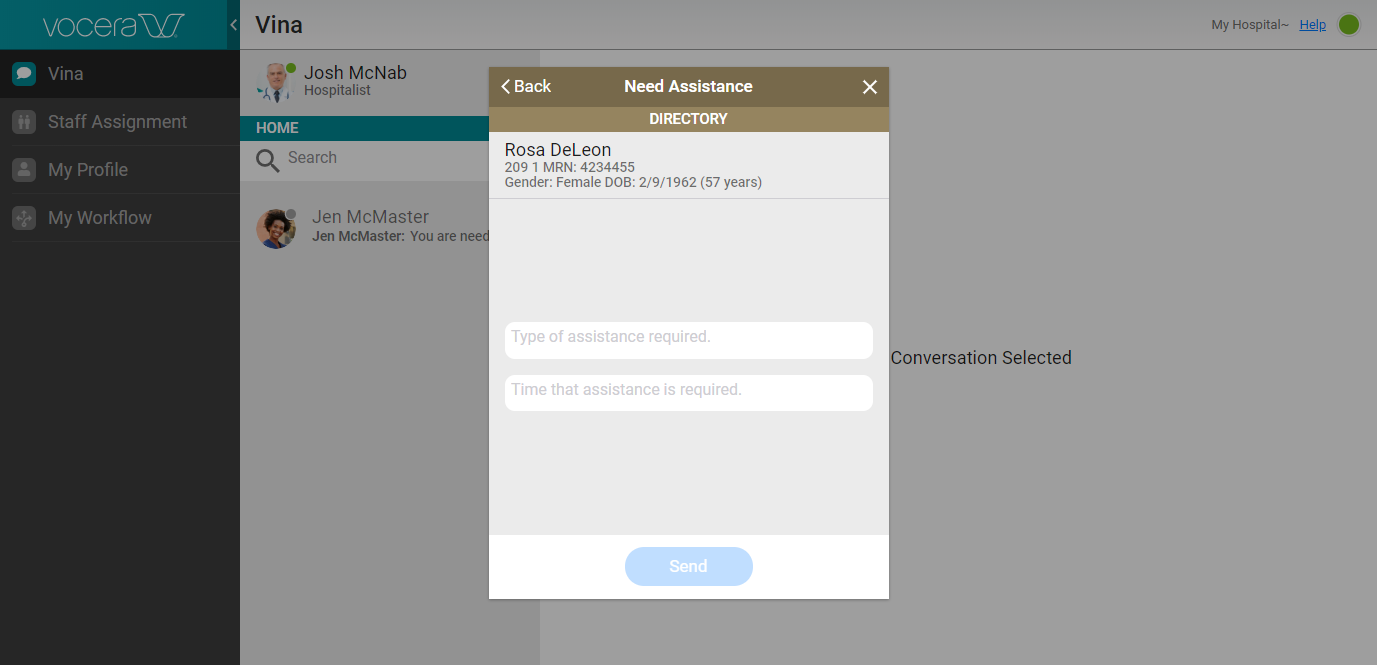
The text displayed in the fields indicates what you need to type in.
-
If the template contains text that can be edited, click in the text field.
Edit the text as needed, or type the new text that you want to include.