If you are in an existing group chat, you can add other participants to it. If you are in a conversation with one other person, and you want to add other participants, you can create a new group chat consisting of you, the other person in the conversation, and the new participants.
-
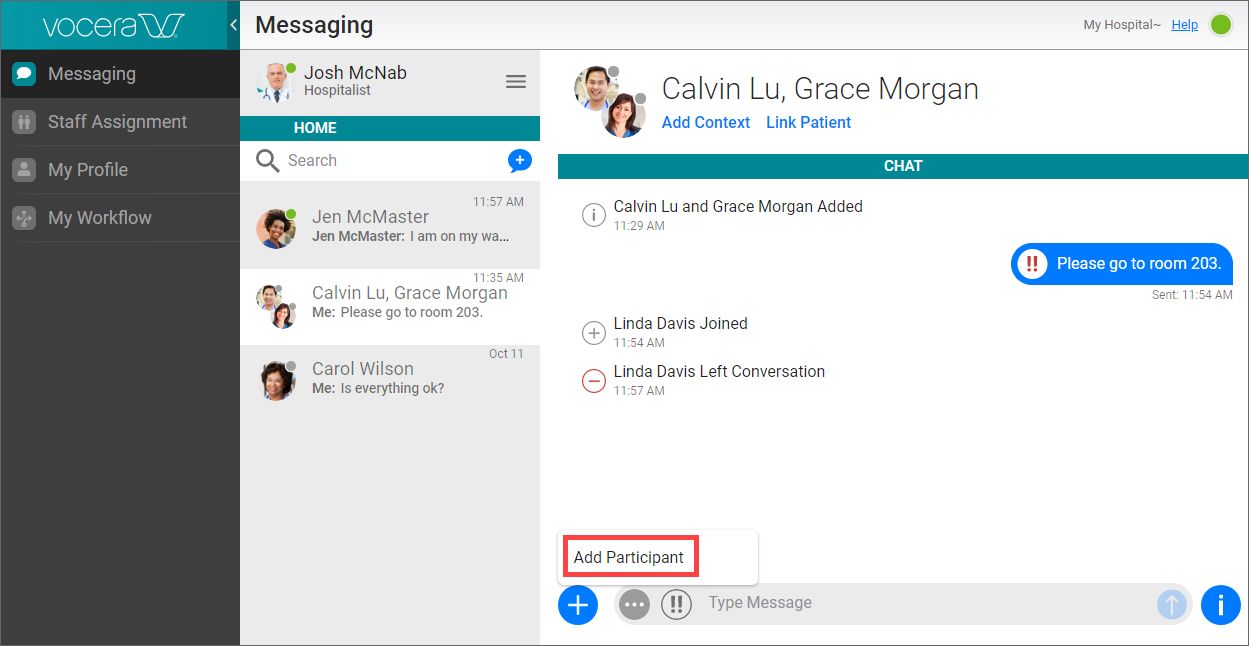
In your conversation or group chat, click the Add link at the bottom left.
From the popup menu that appears, select Create Group Chat
if you are in a conversation, or select Add Participant
if you are already in a group chat.
One of the following appears:
- If you are adding a participant to a group chat that has a patient context, a panel appears that contains two tabs: a Care Team tab that enables you to add a patient care team member to the conversation, and a Staff tab that enables you to add any staff member to the conversation.
- For all other group chats and conversations, a panel appears that enables you to add any staff member to the conversation.
-
If you want to add one or more staff members to the chat,
click the Staff tab if you are in a group chat with a patient context,
and then do any or all of the following:
-
Click a group name to display the members of the group. If the group contains subgroups, click a subgroup name to display its members. Click the name of a member to add him or her to the group chat.

-
Click the name of a favorite to add this user to the group chat.

-
In the Search box, type two or more characters. A list of groups and users that match your search text appears. In this list, do one of the following:
Click the names of one or more users to add them to the group chat.

- Click the name of a group to display a list of its members. In this list, click one or more members to add them to the group chat.
-
