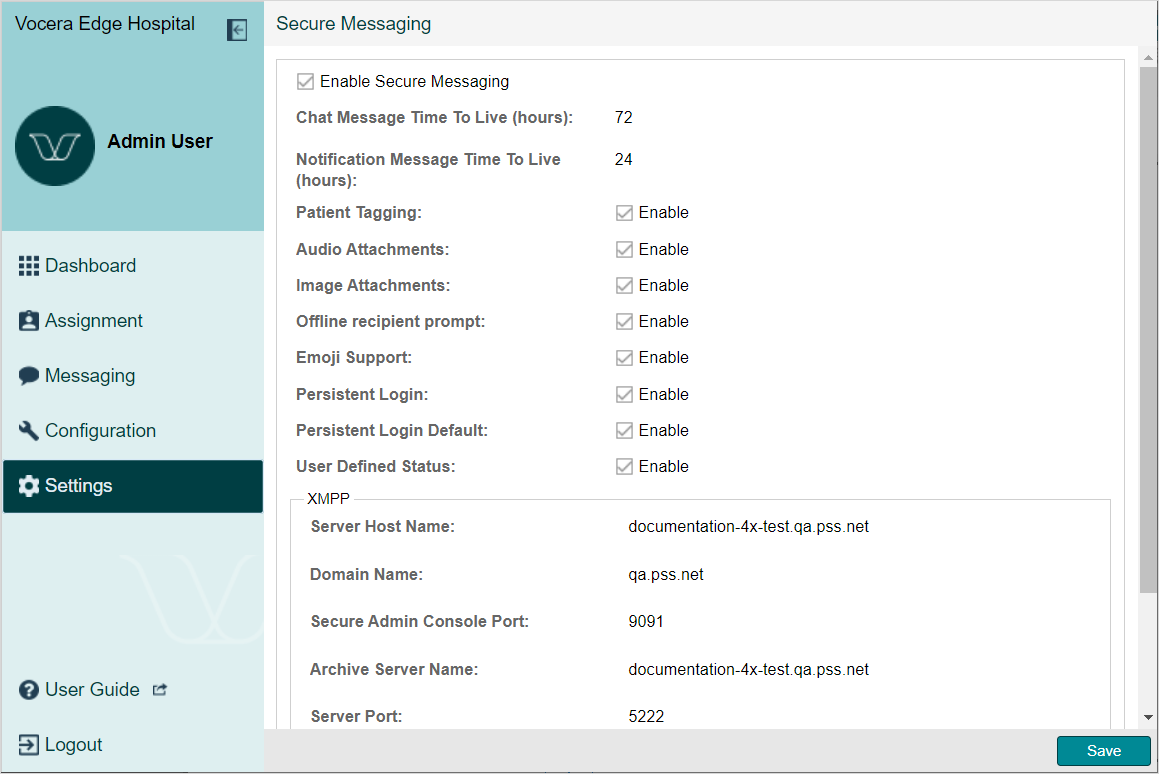
Secure Messaging provides configuration settings for all HIPAA-compliant text messages.
- From the Dashboard, click .
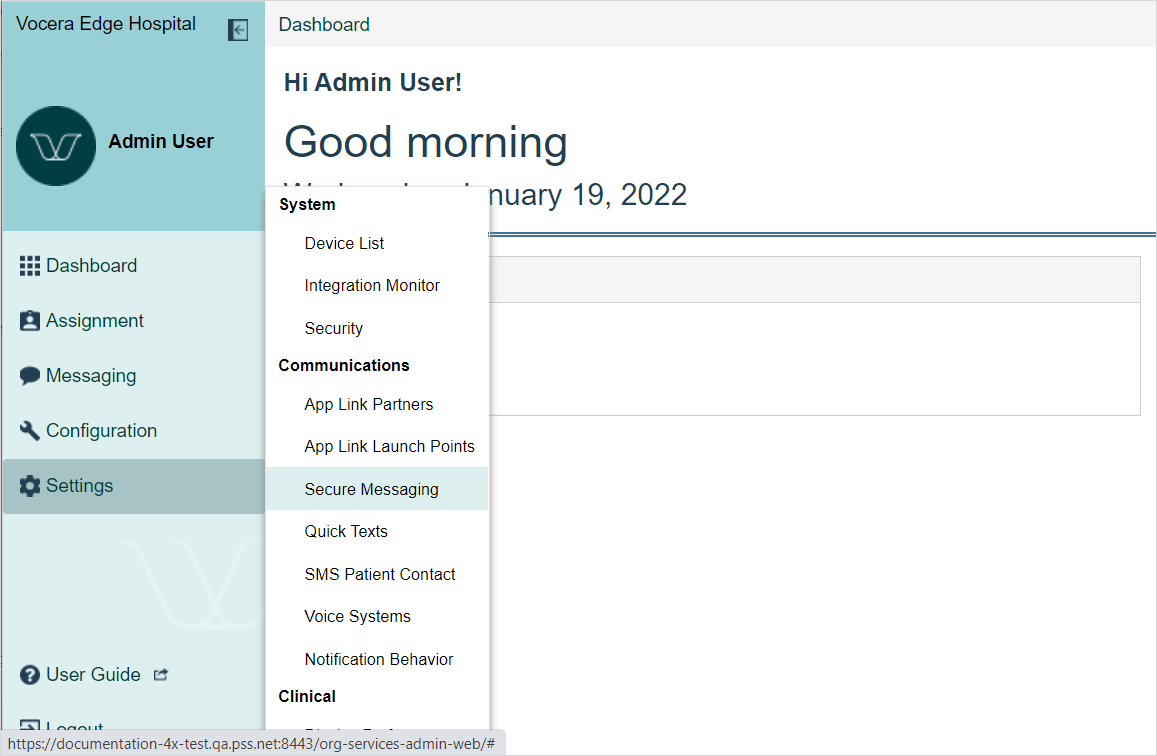
- Use the table below to complete the Secure Messaginge fields.
Field Description Enable Secure Messaging
When selected, the Unified Inbox on the handheld displays Inbox and Contacts tabs and caregivers can send text messages to one or more contacts.
Chat Message Time to Live (hours)
This number defines the duration for text messages to persist on the handheld or Web Messenger. The system deletes individual messages after this amount of time.
Notification Message Time To Live (hours) This number defines the duration for notification messages to persist on the handheld or Web Messenger. The system deletes individual messages after this amount of time.
Patient Tagging
Enables or disables Patient Tagging, or the ability to tag a patient to a text message.
Audio Attachments
When enabled, users can attach audio recordings to text messages. When disabled, users still see the microphone icon; however, when selected, they cannot attach audio recordings and a message displays: "Audio Attachments Disabled by Organizational Policy".
Image Attachments
When enabled, users can attach images to text messages. When disabled, users still see the camera icon; however, when selected, they cannot attach an image and a message displays: "Image Attachments Disabled by Organizational Policy".
Offline recipient prompt When enabled, users receive a notification message when sending a text to a recipient who is offline.
Emoji Support Enable or disable emoji support for text messages on iOS (Comms and Clinical), Android, and Web Messenger.
Persistent Login
This setting allows System Administrators to choose whether Persistent Login is available to BYOD users.
Persistent Login Default
This setting allows System Administrators to choose whether Persistent Login is the default for BYOD users. User settings override the global settings.
User Defined Status
This setting provides the ability for users to save a text status.
XMPP
The XMPP fields display automatically based on input from the servers.