The basic process for giving PRN medications is the same as for scheduled medications. A PRN medication cannot be late, so reminders are not sent.
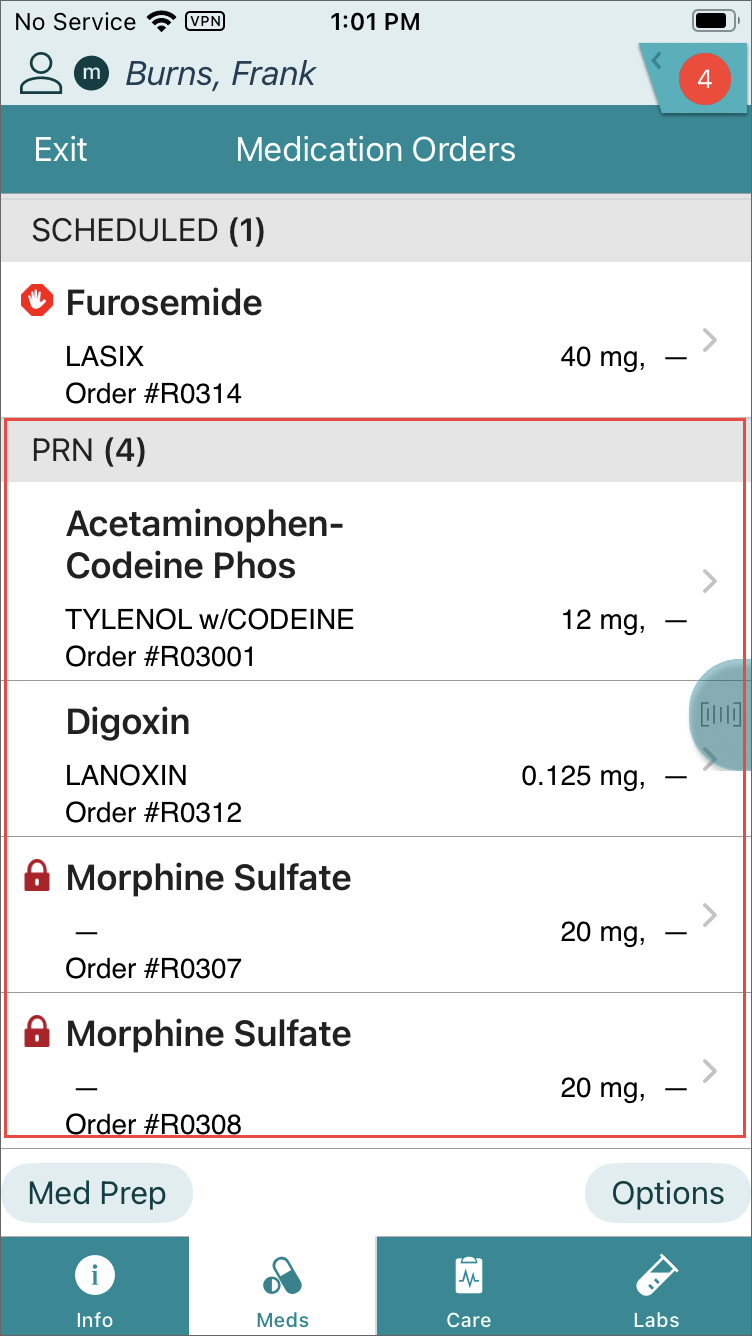
Depending on the physician’s order, a PRN dosing interval may be specified. For example, if the PRN order is every 4 hours, an interval time setting of four hours (or a little less to allow some flexibility) may be set in the Vocera Edge SIG code settings.
If you scan the same or an equivalent medication before the interval time setting has elapsed, an Early alert is displayed and you must enter an Override Reason to continue.
PRN (and Continuous) Orders can be documented as Not Given. Use the procedures below to document a Not Given workflow.
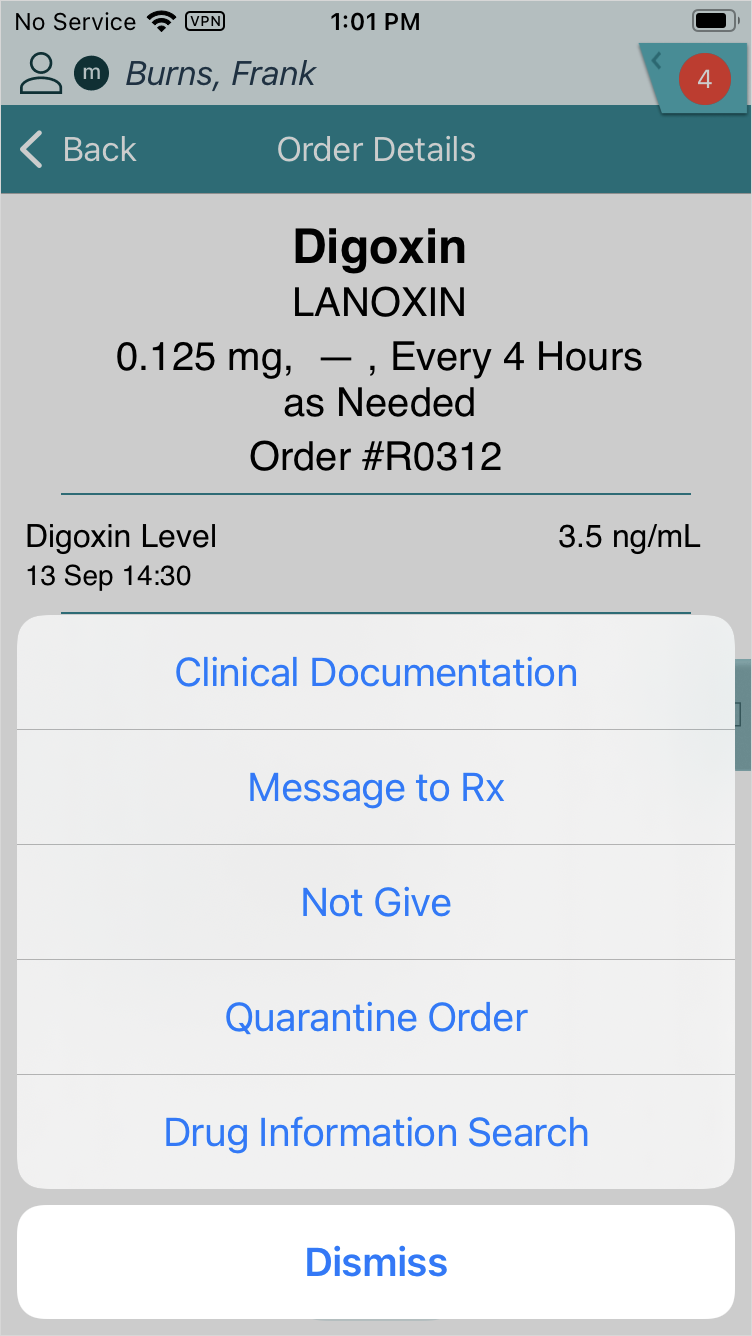
- Tap the Options icon from the Order Details screen and tap Not Give.
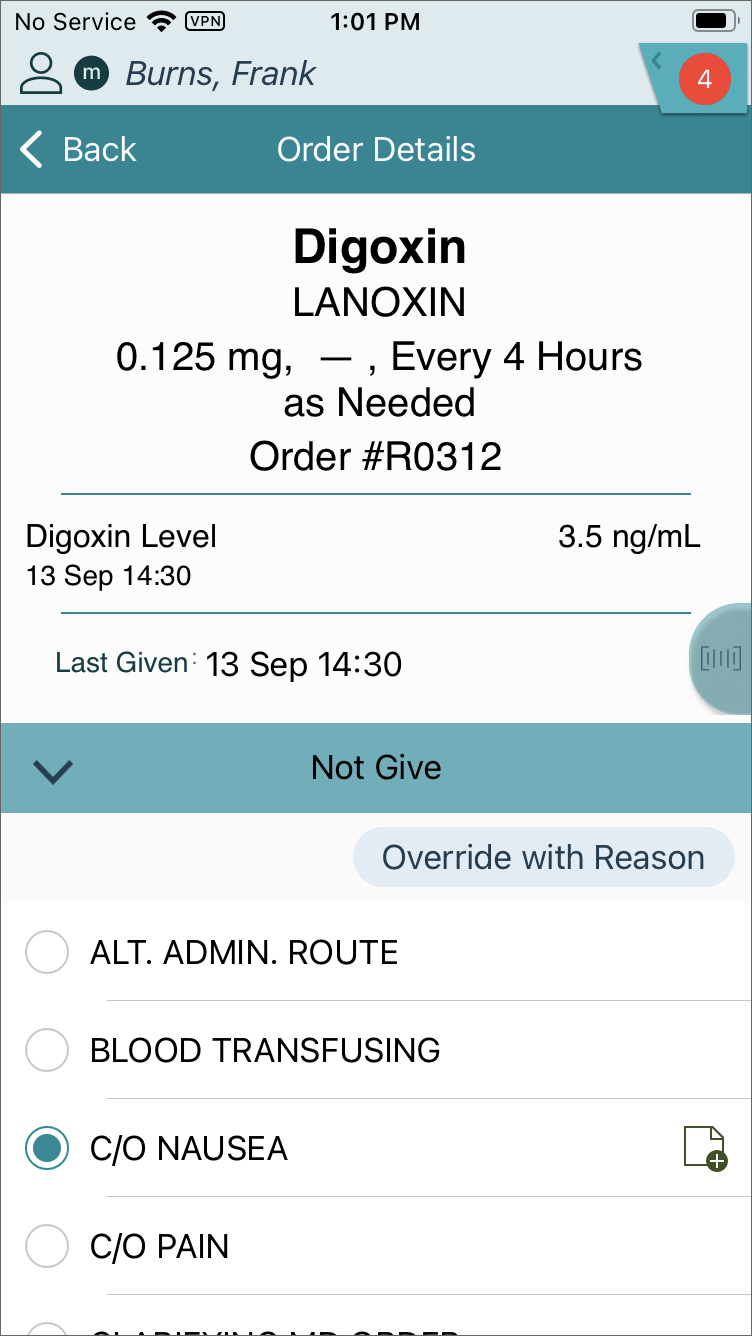
- Select a reason from the Not Give reasons list and continue with the workflow.