Use the instructions below to help prevent your printer from automatically changing from Peel-Off Mode to Tear-Off Mode or vise versa.
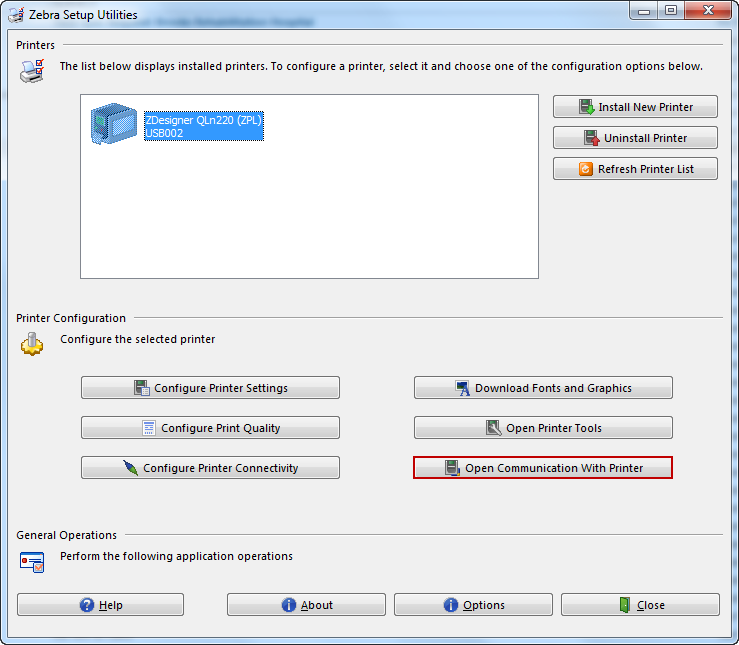
- From the Zebra Setup Utilities, click Open Communication with
Printer.
Use the instructions below to help prevent your printer from automatically changing from Peel-Off Mode to Tear-Off Mode or vise versa.
This guide last modified:
2024-02-18 13:59.
.