Use the buttons on your Smartbadge to perform specific tasks. If the Smartbadge screen is turned off, press the Volume buttons (up or down) to illuminate the display.
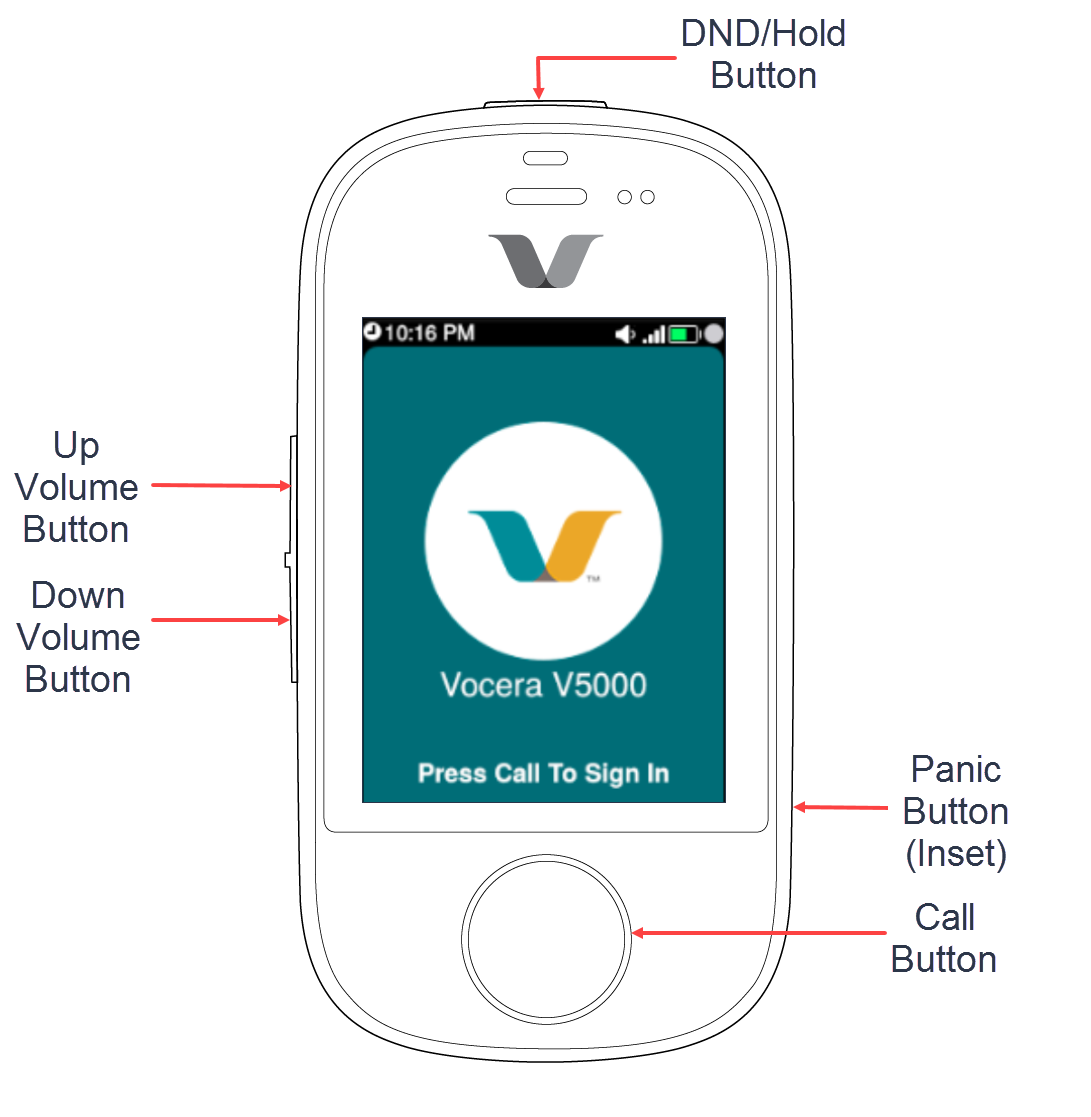
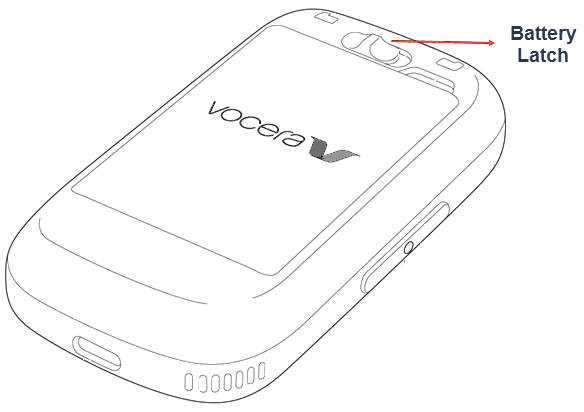
The following table captures the details of the hardware buttons on the Smartbadge and its functions.
| Button | Location on the Smartbadge | Functions |
|---|---|---|
| Call | Bottom-centre | Begin and end voice communications. |
| Do Not Disturb (DND)/Hold | Top | Set your Smartbadge to DND mode. |
| Volume | Left side | Increase or decrease the volume of your Smartbadge. |
| Panic | Right-bottom | Place an emergency call. |
| Battery Latch | Behind | Insert or remove the battery from your Smartbadge. |