You can view the diagnostic details of the C1000 Minibadge using the webserver.
You can access the webserver at https://<C1000 Minibadge IP Address>:5000.The web server provides device information, network information, diagnostics information, and administrative information.
Device Information
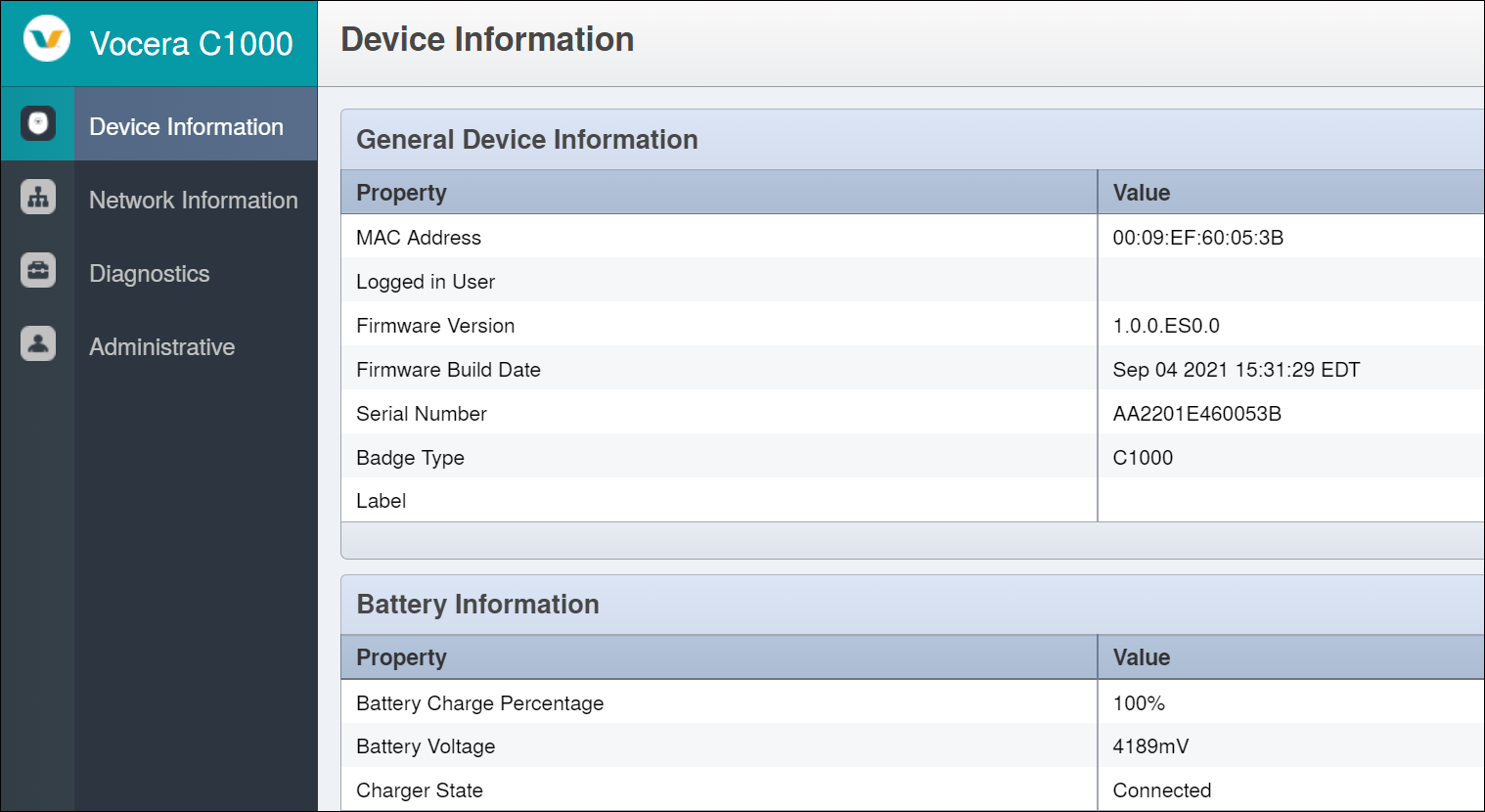
The following fields are viewable on the General Device Information:
|
General Device Information |
|
|---|---|
|
Property |
Value |
|
Mac address |
Displays the MAC address of the Minibadge. |
|
Logged in User |
Displays the user ID of the user logged in. |
|
Firmware Version |
Displays the firmware build loaded on your Minibadge. |
|
Serial Number |
Displays the serial number of your Minibadge. |
|
Badge Type |
Displays the type of Badge. For example: C1000 |
|
Label |
Displays the label of your Minibadge. |
|
Battery Information |
|
|
Battery Charge Percentage |
Displays the details of the battery charge percentage. |
|
Battery Voltage |
Displays the details of the battery charge in volts. |
|
Charger State |
Displays if the charger is connected or not connected. |
Network Information
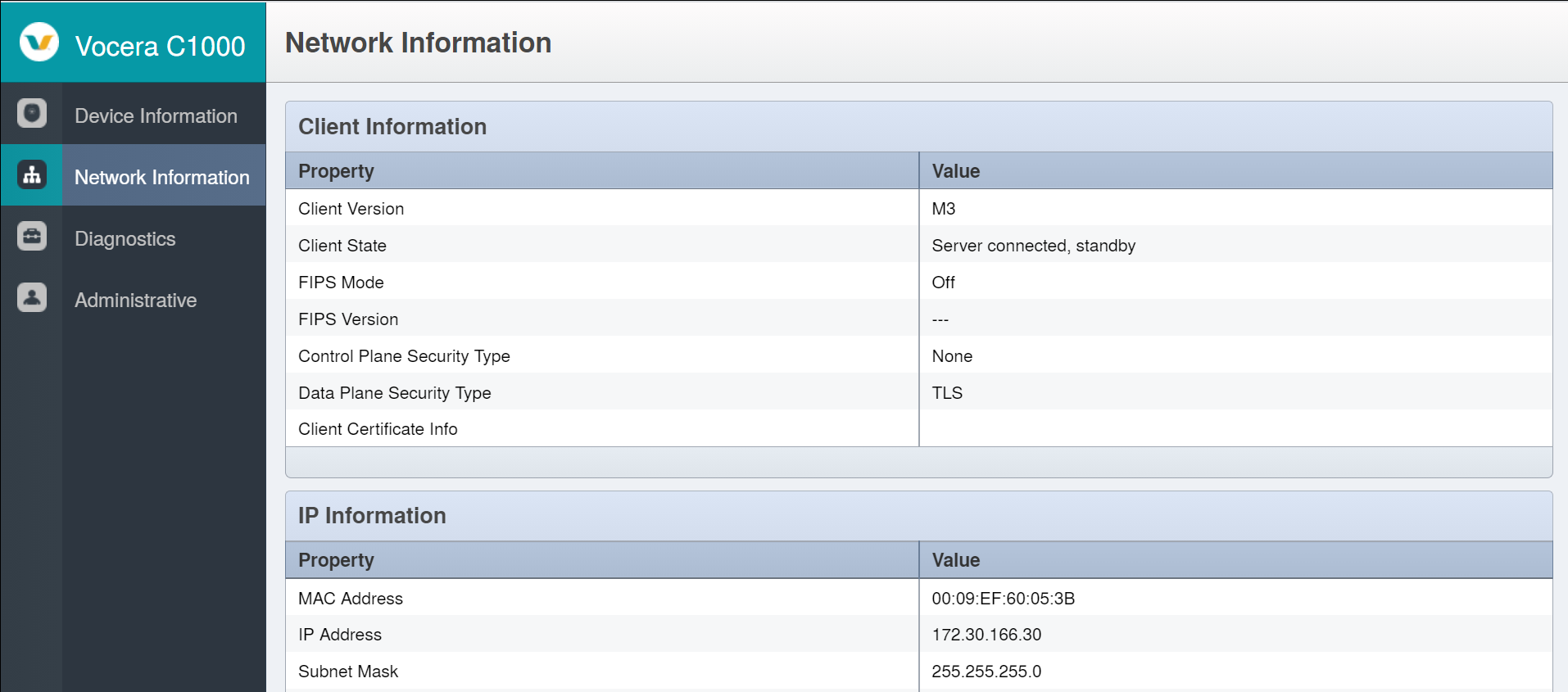
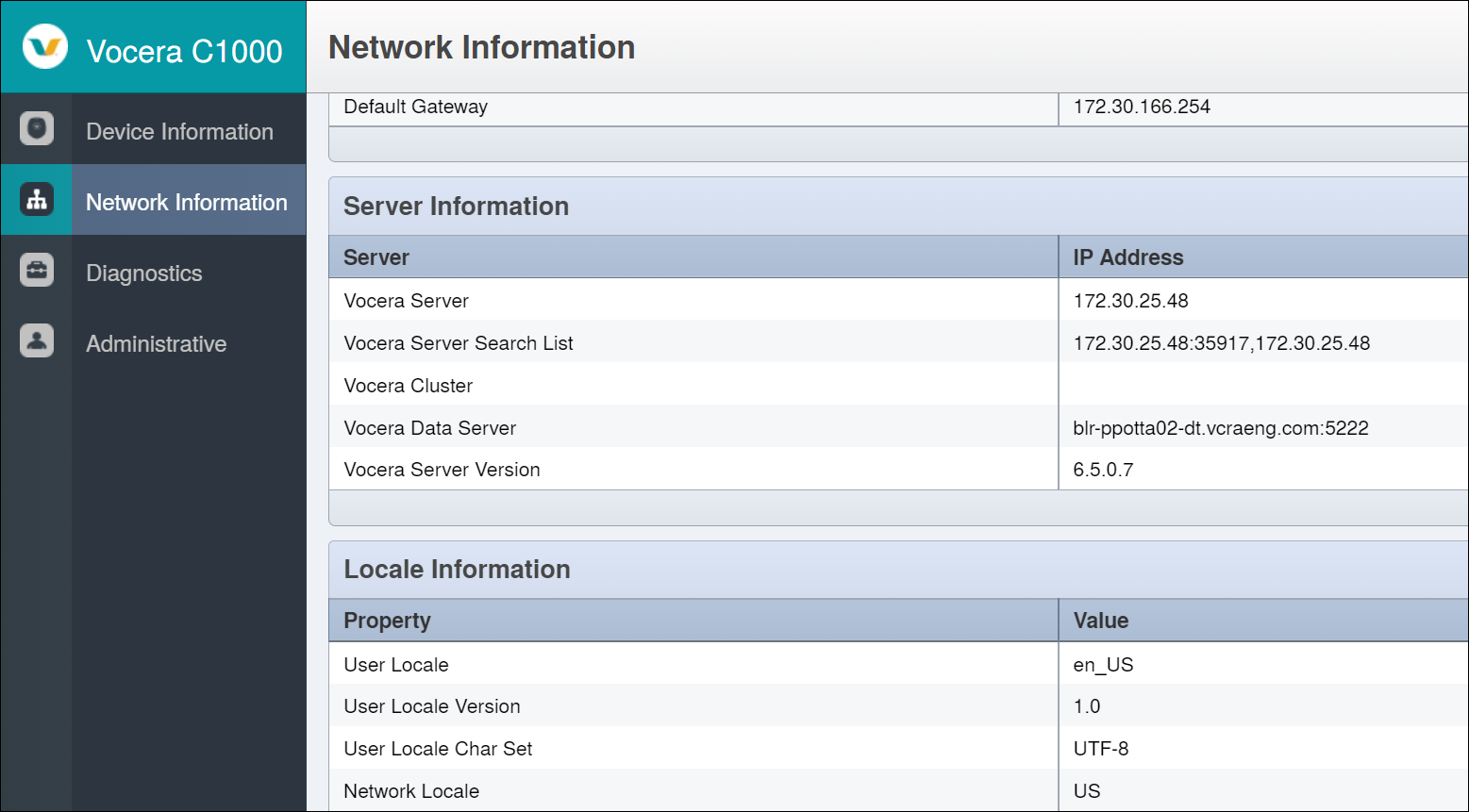
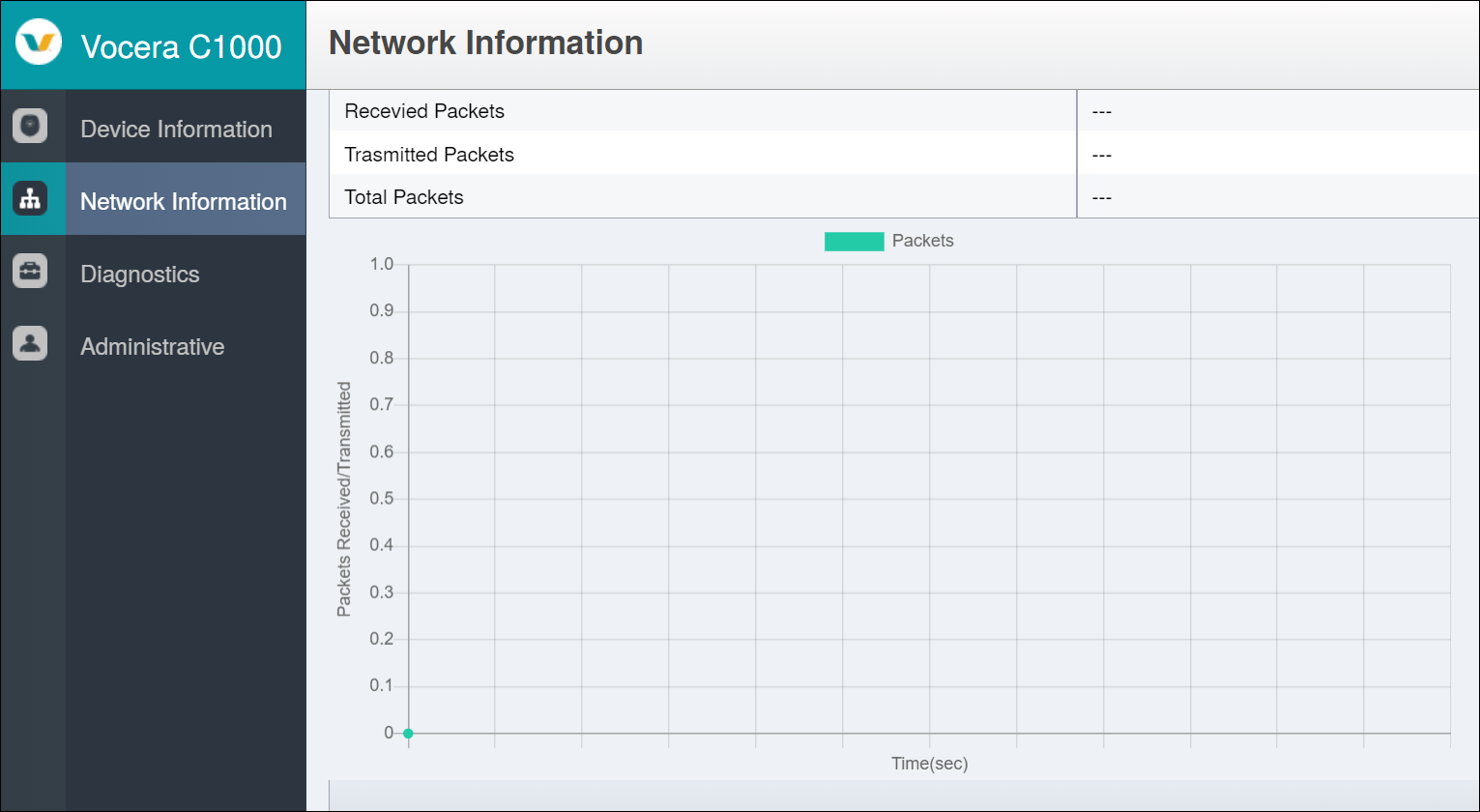
The following information is viewable in the Network Information section:
|
Client Information |
|
|---|---|
| Property |
Value |
|
Client Version |
Displays the version of the client. |
|
Client State |
Displays the state of the client. For example: Server connected, standby. |
|
FIPS Mode |
Displays if FIPS mode is ON or OFF. |
|
FIPS Version |
Displays the version of FIPS. |
|
Control Plane Security Type |
Displays the control plane security type used. For example: DTLS. Note: When encryption is disabled on the server or if the Minibadge is connected to an older server, the Control Plane Security Type is None.
|
|
Data Plane Security Type |
Displays the data plane security type used. For example: TLS. Note: For the Vocera Platform, the Data Plane Security Type is TLS. On 5.1.x, Data Plane Security Type is HTTPS or None depending on the VMP address
|
|
Client Certificate |
Specifies the details of the client certificate used for Wi-Fi authentication, the date the certificate begins and expires on. |
|
IP Information |
|
|
MAC address |
Displays the MAC address of the Minibadge. |
|
IP Address |
Displays the IP address of the Minibadge. |
|
Subnet Mask |
Displays the subnet mask details of the Minibadge. |
|
Default Gateway |
Displays the gateway address. |
|
Server Information |
|
|
Vocera Server |
Displays the IP address of the Voice Server. |
|
Vocera Server Search List |
Displays the list of search of the Vocera Server. |
|
Vocera Cluster |
Displays the details of the voice cluster your Minibadge is associated. |
|
Vocera Data Server |
Displays the data server address. |
|
Vocera Server Version |
Displays the version of the Voice Server. |
| Locale Information | |
|
User Locale |
Displays the locale supported for the user. |
|
User Locale Version |
Displays the user locale version. |
|
User Locale Char Set |
Displays the user locale characteristic set. |
|
Network Locale |
Displays the network locales of the country supported. |
| Network Information | |
|
Received Packets |
Displays the packets received. |
|
Transmitted Packets |
Displays the packets transmitted. |
|
Total Packets |
Displays the total number of received and transmitted packets. |
Diagnostic Information
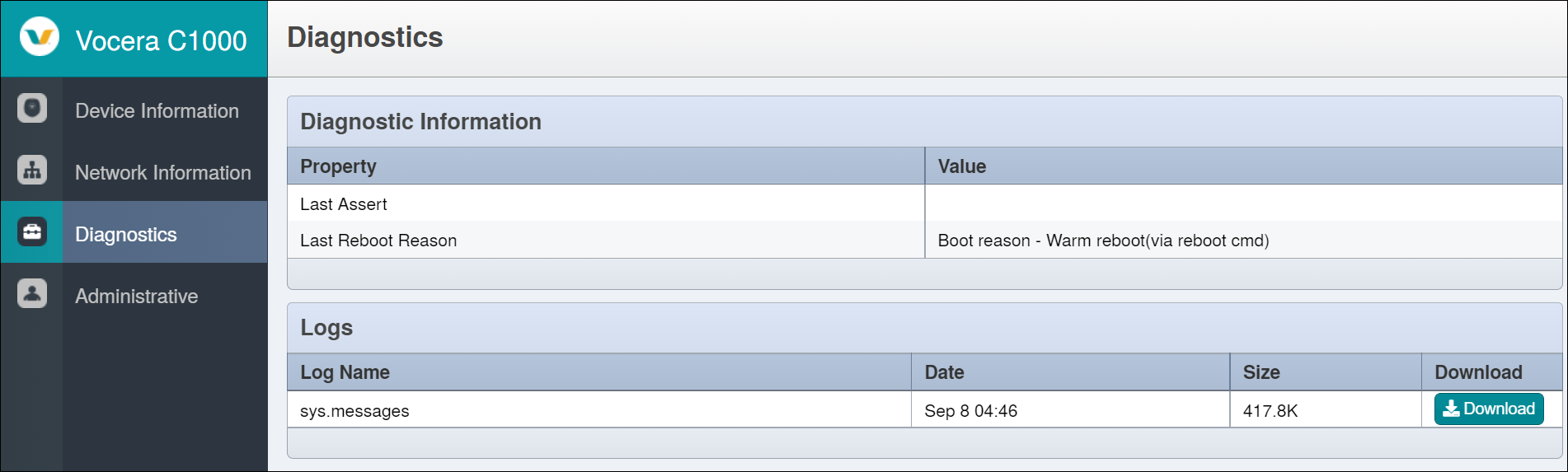
Diagnostic Information |
|
|---|---|
Property |
Value |
Last Assert |
Displays when the last assert was generated. |
Last Reboot Reason |
Displays the reason for the reboot. |
Logs |
|
Log Name |
Displays the name of the log file. |
Date |
Displays the date the log file was generated. |
Size |
Displays the size of the log file. |
Download |
Displays the option to download the log file. |